
How It Works
May 16, 2026 • 5 Min Read
How to Set Up Your First Voting EVENT on Aseda Host in Under 10 Minutes
Aseda Host
Editorial Team
No technical knowledge required. No lengthy onboarding. Just a few steps between you and a live, fully monetised voting campaign.
How to Set Up Your First Voting Campaign on AsedaHost in Under 10 Minutes
No technical knowledge required. No complicated onboarding. Just a few simple steps to launch a fully monetised voting campaign.
Running a voting campaign used to be stressful.
Organisers often had to deal with developers, payment integrations, manual vote counting, delayed reports, and unreliable systems. For many event organisers, launching a professional voting platform felt expensive, technical, and time-consuming.
Today, that process is much simpler.
With AsedaHost organisers can create and publish a live voting campaign within minutes without needing technical experience or external setup.
Whether you are organising an award scheme, beauty pageant, talent competition, campus event, or church contest, AsedaHost provides everything needed to manage voting professionally from one dashboard.
Here is how to launch your first campaign in under 10 minutes.
Step 1: Create Your Campaign
After logging into your dashboard, click on “New Campaign.”
You will be required to enter:
1. Campaign name
2. Campaign category
3. Voting start date
4. Voting end date
This creates the foundation for your campaign and defines how it will appear publicly to voters.
It is important to use a campaign name your audience already recognises, as this name will appear on the voting page and payment confirmations.
Examples include:
1. GH Music Awards
2. Miss UMaT
3. Campus Talent
Once completed, your campaign structure is ready.
Step 2: Add Contestants or Nominees
The next step is adding contestants or nominees to the campaign.
For each contestant, you can upload:
1. Name
2. Photo
3. Category or description
AsedaHost automatically generates a unique voting code for every nominee, allowing supporters to vote accurately across all channels.
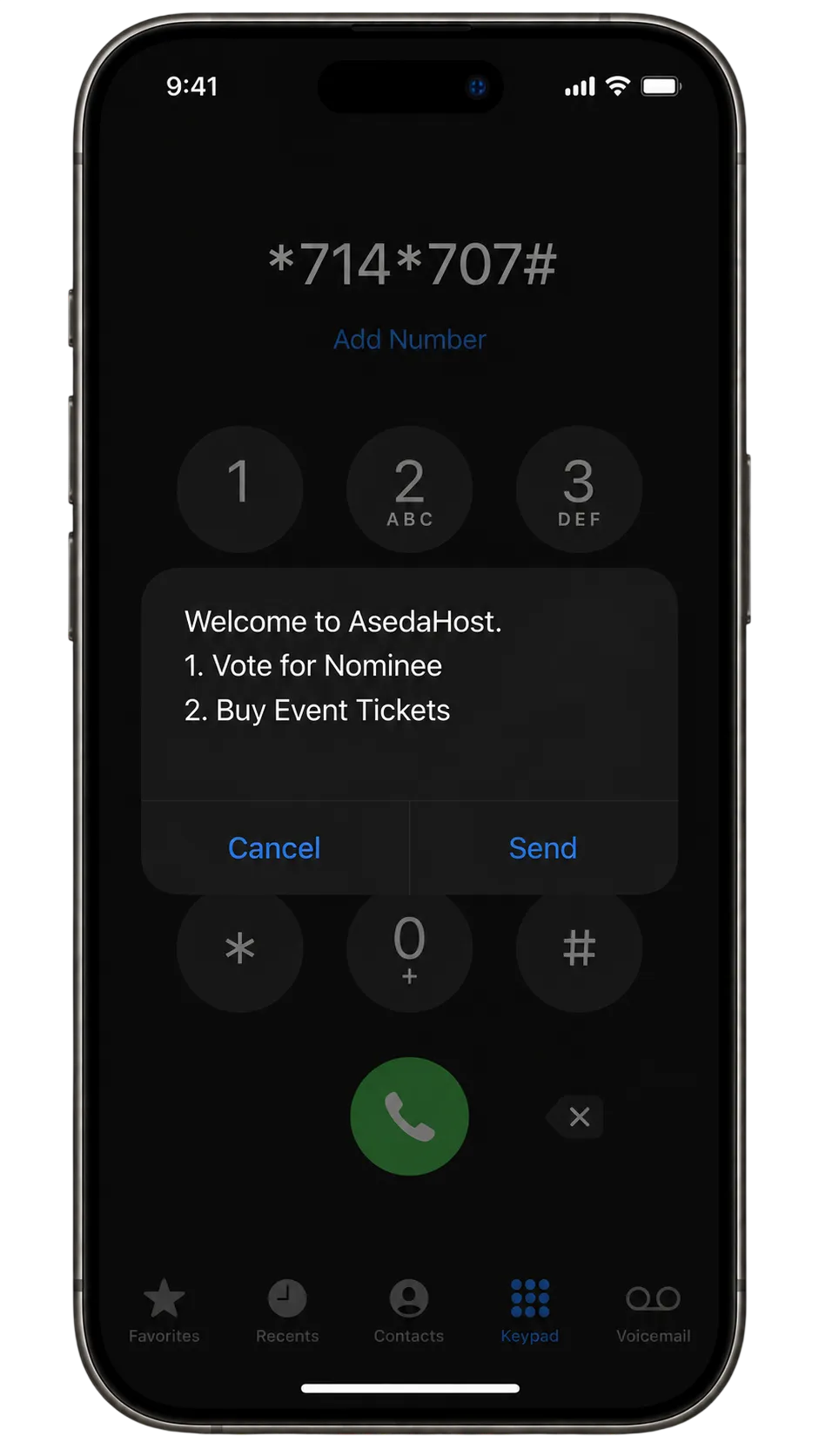
Voting is available both online and through the official USSD shortcode:
*714*707#
This ensures supporters without smartphones or internet access can still participate in the voting process.
Nominee Self-Submission Feature
For organisers managing large campaigns, AsedaHost also provides a nominee submission system.
Instead of manually entering contestant details one by one, organisers can create a nominee application form and share it publicly.
Contestants or nominees simply fill in their:
1. Name
2. Photo
3. Category
4. Required details
Once the organiser approves the submission, the nominee is automatically added to the campaign instantly.
This removes the stress of manual data entry and makes it easier to manage large-scale award schemes and competitions efficiently.
Step 3: Configure Vote Pricing
AsedaHost allows organisers to monetise audience participation by setting custom vote prices.
Examples include:
* 1 vote for GHS 1
* 5 votes for GHS 4
* 20 votes for GHS 15
Organisers can also create vote bundles to encourage higher participation and increased revenue generation.
Flexible pricing allows campaigns to match the scale and audience of the event while maintaining affordability for supporters.
Step 4: Set Up Payment Collection
One of the biggest challenges with traditional voting systems is payment integration.
AsedaHost simplifies this process by providing built-in payment support for:
* MTN Mobile Money
* Telecel Cash
* AirtelTigo Money
* Bank cards
Organisers simply enter the Mobile Money number or settlement account where funds should be received.
There is no need for:
* Payment gateway setup
* Merchant account approvals
* Third-party integrations
* Technical configuration
Everything is already integrated into the platform.
Step 5: Preview and Publish
Before launching, organisers can preview the campaign exactly as voters will see it.
This allows you to confirm:
* Contestant details
* Photos
* Vote pricing
* Campaign dates
* Overall presentation
Once everything looks correct, click “Publish.”
Immediately after publishing:
* The campaign becomes live
* A unique voting link is generated
* Voting opens to the public
* Payments begin processing instantly
The campaign link can then be shared across:
* WhatsApp
* Instagram
* TikTok
* Facebook
* SMS campaigns
* Flyers and posters
* Radio and television promotions
Organisers are also encouraged to promote the USSD code alongside the voting link to maximise accessibility and participation.
Step 6: Monitor Votes in Real Time
Once the campaign is live, the organiser dashboard updates automatically in real time.
Organisers can track:
1. Total votes cast
2. Revenue generated
3. Leading contestants
4. Payment activity
5. Campaign performance
All votes, whether submitted online or through USSD, are recorded and updated instantly.
At the end of the campaign, AsedaHost automatically:
1. Closes voting
2. Generates final reports
3. Processes settlements
4. Prepares final results
No manual counting or spreadsheet management is required.
Launching a professional voting campaign should not require technical expertise or weeks of preparation.
With Aseda Host organisers can move from campaign idea to live public voting within minutes using a platform built specifically for modern events and competitions.
From contestant onboarding and vote monetisation to USSD accessibility and real-time analytics, the platform simplifies every stage of the voting process.
For organisers looking for a fast, reliable, and professional way to manage audience voting, AsedaHost provides a complete solution in one place.
Thoughts & Discussion 0 Comments
No comments yet
Be the first to share your thoughts!